What is a ClickFix Attack? How It Works and How to Protect Your Business in 2026
/ Key takeaways
- What is ClickFix?
- How does a ClickFix attack work?
- Why does ClickFix bypass normal awareness training?
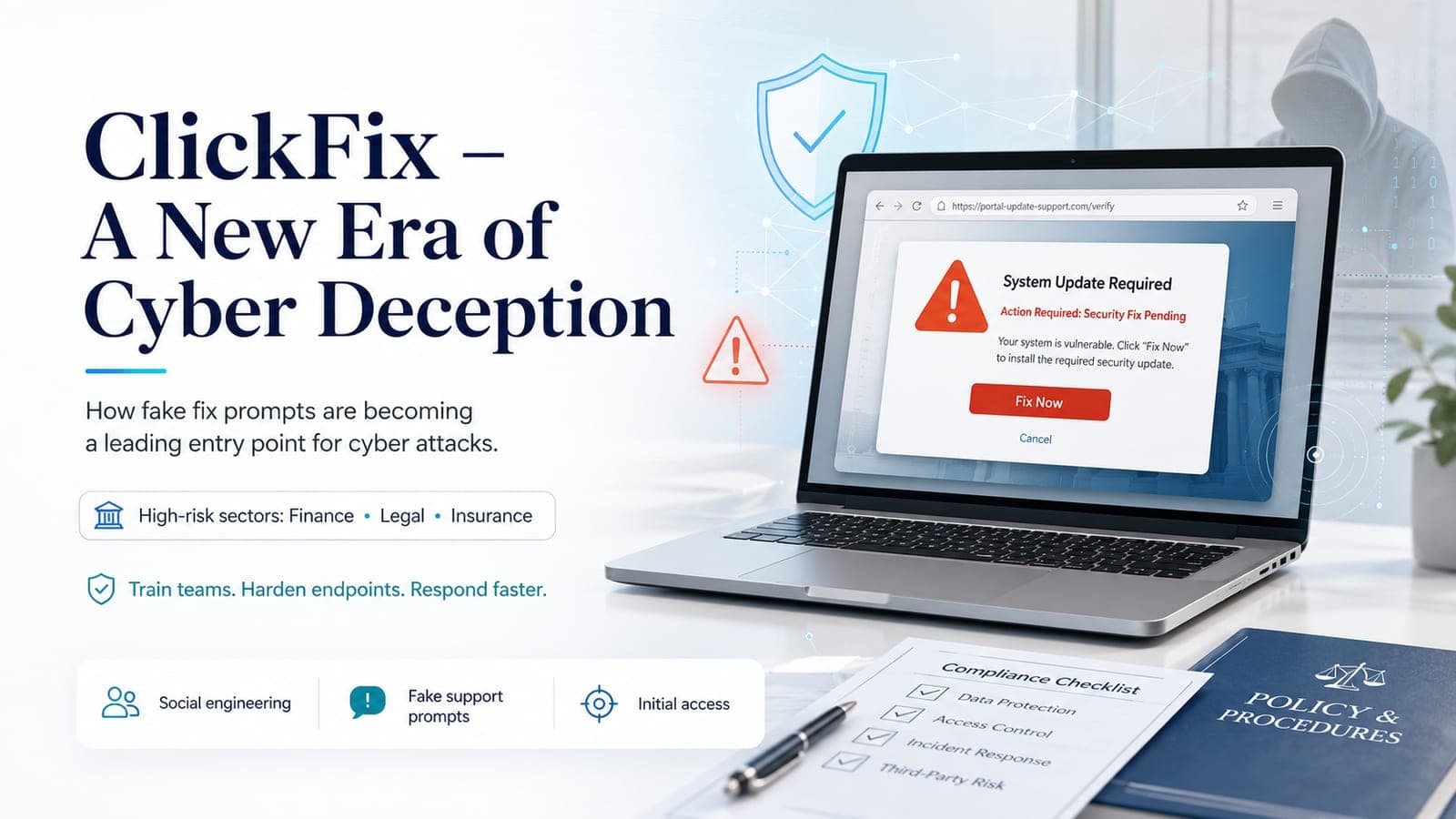
ClickFix is a cyberattack technique that tricks an employee into running a malicious command on their own computer, using familiar prompts that look like a browser check, software update, document viewer, or CAPTCHA screen. No obvious attachment has to be opened. The dangerous step is the instruction to open a system tool, paste a command, and press Enter.
Security researchers have tracked rapid growth in this tactic since late 2023. Proofpoint reporting found ClickFix campaigns rising sharply in 2025, while public threat reporting has tied the method to fake CAPTCHA pages, fake Windows Update screens, infostealers, remote access tools, and nation-state activity. For business owners, the lesson is simple: the attack does not need to break Windows if it can convince a trusted employee to run the command.
This guide explains what ClickFix is, how the attack works step by step, which businesses are being targeted, and what actually reduces risk. It also links the issue to practical controls covered in Cybersecurity Services, Microsoft 365 security checks, and the security stack overview.
What is ClickFix?
Direct answer
ClickFix is a social engineering attack where a fake web prompt tells the user to fix a made-up problem by opening a system tool and pasting a command. That command can run PowerShell or another trusted utility, download malware, steal credentials, or give an attacker remote access.
The name comes from the idea of clicking or following a quick fix for a fake technical problem. The user sees a message that feels routine: a file cannot display, a browser needs verification, a CAPTCHA needs one more step, or an update must be completed. The page then gives instructions that look like a support workflow but actually launch the attack.
The technique is powerful because it uses tools already present on the computer. On Windows, that commonly means the Run dialog, PowerShell, Windows Terminal, or File Explorer. On macOS, related campaigns have used Terminal-style instructions and later variants that tried to bypass user warnings. The common thread is not a software exploit. It is a persuasive instruction that gets the victim to execute the payload.
How does a ClickFix attack work?
A typical ClickFix attack follows a short sequence that can happen in seconds:
- The employee lands on a lure page through a compromised legitimate website, a search ad, a phishing link, a supplier portal imitation, or a fake document viewer.
- A fake problem appears such as a CAPTCHA check, browser update, document display error, account verification prompt, or fake security message.
- The page gives simple instructions such as pressing Windows + R, pasting a copied command, and pressing Enter, or using a similar workflow in another system tool.
- The command runs through a trusted utility like PowerShell. Because the action was launched by the user, basic security controls may treat it like normal activity.
- The payload reaches out to attacker-controlled infrastructure to download code, steal credentials, deploy an infostealer, or prepare broader access.
Why does ClickFix bypass normal awareness training?
Most awareness training tells staff not to open strange attachments, not to click suspicious links, and not to enter passwords on unknown pages. Those lessons still matter, but ClickFix uses a different path. The decisive step is not a download button. It is a prompt that asks the employee to perform a short system action.
That is why ClickFix can work even in teams that have completed standard phishing training. The employee may not feel they are installing anything. They feel they are clearing a verification screen or fixing a document issue. Training needs to name this exact pattern: no legitimate website, CAPTCHA, update page, or document viewer should ask staff to open Run, Terminal, PowerShell, Windows Terminal, or File Explorer and paste a command.
What does a ClickFix popup look like?
Fake CAPTCHA
A page imitates a human verification check and tells the user to complete an alternate verification by running a command.
Fake browser or document error
A document, video, invoice, or portal page claims it cannot display until a quick local fix is completed.
Fake Windows Update
A browser page mimics a full-screen update flow and then asks the user to open Run and paste code.
Fake IT notification
The page pretends to be an account, security, or support notice and frames the command as internal verification.
Which industries are being targeted by ClickFix attacks?
Attackers adapt the fake prompt to the workflow the target already trusts. That makes ClickFix especially dangerous for businesses where staff regularly open client files, supplier portals, booking systems, invoices, or compliance platforms.
| Business type | Likely ClickFix lure | Why it works |
|---|---|---|
| Accounting firms | Fake tax, bookkeeping, or finance portal errors | Staff are used to resolving portal and document access issues quickly. |
| Law firms | Fake client document previews | Matter files and shared documents create frequent external-link workflows. |
| Real estate agencies | Fake listing or property portal alerts | Agents regularly use listing systems, forms, and third-party document portals. |
| Hospitality | Fake booking, supplier, or travel platform prompts | Teams handle high volumes of external booking and vendor messages. |
| Insurance and finance | Fake compliance or secure portal verification | Regulated workflows make verification prompts feel plausible. |
| Construction and trades | Fake supplier invoice or subcontractor portals | External documents and project files move between many parties. |
| Healthcare administration | Fake patient, supplier, or document system prompts | Staff often work under time pressure with sensitive records and portals. |
Does antivirus stop ClickFix?
Traditional antivirus can miss ClickFix because the first malicious step may not look like a downloaded file. A legitimate user launches a legitimate tool. The suspicious behavior is the process chain: a browser page influences clipboard content, a system utility starts, PowerShell or another interpreter runs, and outbound traffic begins.
That does not make antivirus useless. It means antivirus alone is not the control to rely on. Businesses need endpoint controls that understand behavior, not only file signatures. They also need logging and response paths that can isolate a device quickly if suspicious command execution appears.
What actually protects a business against ClickFix?
- Behavioural endpoint detection that flags suspicious PowerShell, script, and process chains
- Security monitoring that reviews unusual command execution, outbound traffic, and endpoint alerts
- Application control or script restrictions where operationally practical
- Browser, DNS, and web filtering that reduce exposure to compromised or malicious pages
- Least-privilege user accounts so one successful command has less reach
- MFA and conditional access to limit credential reuse after an infostealer event
- Backups, recovery testing, and endpoint isolation procedures for rapid containment
- Specific awareness training that shows staff what fake CAPTCHA, fake update, and fake document prompts look like
The staff rule to teach
If a web page asks you to open Run, PowerShell, Terminal, Windows Terminal, Command Prompt, or File Explorer and paste a command, stop. Do not continue. Take a screenshot and send it to your IT or security contact.
What should business owners ask their IT provider?
- Do our endpoint tools detect suspicious PowerShell, Windows Terminal, script, and clipboard-driven command activity?
- Would we receive an alert if a browser-launched workflow caused PowerShell to contact an unknown external server?
- Can you isolate a device quickly if an infostealer or remote access tool is suspected?
- Are users local admins, or are they working with least-privilege accounts?
- Does our security training specifically cover fake CAPTCHA, fake update, fake document viewer, and ClickFix-style prompts?
- Do our Microsoft 365 and browser logs help identify credential theft or follow-on account abuse?
Is your business protected against ClickFix?
BPro Technologies supports managed IT and cybersecurity reviews for businesses with remote coverage during agreed support windows. ClickFix protection is not one tool. It is a combination of endpoint detection, monitoring, access control, web filtering, staff training, and response planning.
If you want to know whether your current setup would catch a ClickFix-style attack, start with a free security assessment. We can review endpoint coverage, Microsoft 365 exposure, account controls, backup readiness, and whether your staff training covers current social engineering patterns.
Review your ClickFix exposure
Share your current endpoint tools, Microsoft 365 setup, and security monitoring model. BPro Technologies can help identify whether a ClickFix-style attack would be detected, contained, or missed.
Start Free Security Assessment/ Article map
What is ClickFix?
How does a ClickFix attack work?
Why does ClickFix bypass normal awareness training?
What does a ClickFix popup look like?
Which industries are being targeted by ClickFix attacks?
Does antivirus stop ClickFix?
Sources
- 1. ITPro coverage of Proofpoint URL threat research and ClickFix growth
- 2. PC Gamer summary of Huntress research on fake Windows Update ClickFix lures
- 3. TechRadar reporting on Proofpoint findings about state-sponsored ClickFix use
- 4. TechRadar reporting on FileFix as a ClickFix evolution
- 5. Windows Central coverage of fake CAPTCHA ClickFix delivery using StealC
Frequently Asked Questions
What is ClickFix in simple terms?
ClickFix is a scam where a fake website prompt tells an employee to fix a problem by opening a system tool and pasting a command. That command can run malware using trusted Windows or macOS tools.
How common are ClickFix attacks in 2026?
ClickFix has become a fast-growing malware delivery technique. Public reporting based on Proofpoint data described ClickFix campaigns rising by nearly 400% year over year, and researchers have tracked its use in fake CAPTCHA, fake update, and document-themed attacks.
Can a Mac get hit by ClickFix?
Yes. ClickFix is often discussed as a Windows attack because many campaigns use Run, PowerShell, or Windows Terminal, but macOS-targeted variants have also appeared. The core risk is any prompt that tells a user to paste a command into a trusted system tool.
Does antivirus stop ClickFix?
Standard antivirus may miss ClickFix because the user launches a trusted system tool and there may be no obvious malicious file at the first step. Behavioural endpoint detection, command-line monitoring, web filtering, and rapid response controls are more relevant.
Which businesses are most at risk from ClickFix?
Any business where employees regularly open external portals, shared documents, booking systems, invoices, or compliance pages has exposure. Accounting, legal, real estate, hospitality, insurance, construction, and healthcare administration teams are especially plausible targets.
How do I know if my business is protected against ClickFix?
Ask whether your endpoint security detects unusual PowerShell or script behavior, whether suspicious command execution is monitored, whether devices can be isolated quickly, and whether staff training includes fake CAPTCHA, fake update, and fake document prompts.
/ Choose the next step
Move from article guidance to a practical review path.
Pick the route that best matches the issue behind the article so the next conversation starts with the right scope.
Security path
Use the assessment to review exposure first
The free assessment is the right first move when identity, endpoint protection, backup readiness, email security, or Microsoft Defender coverage needs review.
Service path
See cybersecurity coverage in practice
Review how BPro Technologies handles access hardening, endpoint protection, visibility, remediation, and evidence without using scare tactics or vague promises.
Team path
Send the current security concern
If the issue is urgent, share what changed, what tools you have, and what is already protected so the team can review the safest next step.