01
Scope
Workflow Discovery
We review the tickets, forms, inboxes, documents, and systems involved, then mark where ownership, sensitive data, and human approval matter.
Practical AI automation for places where business work gets stuck: repeated support questions, incomplete intake forms, ticket triage, CRM updates, internal knowledge lookup, document handling, and after-hours requests. BPro Technologies maps the workflow first, then builds controlled automation with clear ownership, data boundaries, approvals, and escalation paths.
Scope, ownership, reporting, and handover confirmed before delivery starts.
/ Direct answer
AI automation services from BPro Technologies help businesses turn repeatable work into governed workflows with clear human approval points. Scope can include website chatbots, intake routing, lead qualification, support flows, internal knowledge assistants, CRM updates, email or document processes, reporting, escalation rules, and data handling boundaries for practical business use cases.
/ Automation model
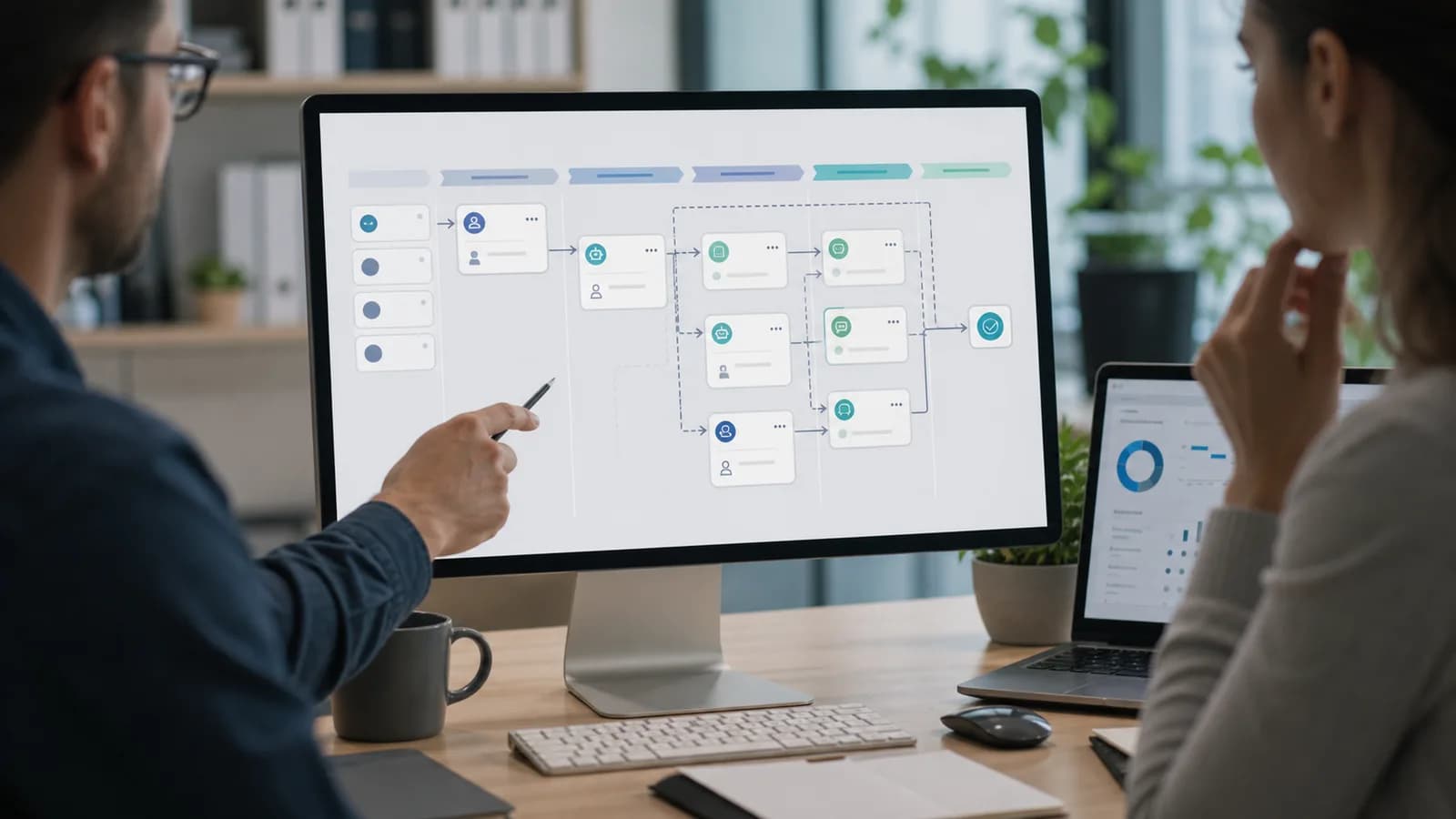
Useful automation connects business triggers to reliable action. This model shows how inputs, logic, AI assistance, human approval, workflow execution, reporting, and improvement stay connected.
Workflow route
Ticket, form, email, chat, schedule, or system event starts the workflow.
Data is captured, normalized, validated, and routed with context.
Rules, conditions, AI assistance, and approval thresholds shape the next action.
Human review steps stay visible when confidence, risk, or policy requires approval.
The workflow updates systems, creates tasks, sends responses, or escalates work.
Outcomes, exceptions, savings opportunities, and improvement ideas feed review.
Handoff lane
System completes the task and logs the result.
A person approves, edits, or rejects before action.
The workflow routes to the correct queue with context.
Exceptions become backlog items for the next iteration.
/ Delivery story
Agree requirements and responsibilities before work starts. Review progress at each stage, test before launch, and leave your team with the documentation needed to run the system.
01
Scope
We review the tickets, forms, inboxes, documents, and systems involved, then mark where ownership, sensitive data, and human approval matter.
02
Build
We document integrations, permissions, fallback rules, failure cases, and success metrics before recommending a platform or custom build.
03
Launch
We build with real scenarios, tune responses, validate data access, and test the moments where the system should stop and ask a person.
04
Handover
We train your team, hand over runbooks, review logs, and refine prompts, routing, and integrations after people start using it.
/ Proof to review
Buyer-friendly samples and checklists make the delivery model easier to inspect before a call.
What will be built, what waits, what can break, and who signs off.
Ticket trends, support themes, infrastructure health, and improvement priorities.
Runbooks, diagrams, access notes, configuration records, and escalation paths.
/ Ownership model
A quieter, inspectable model for what gets reviewed, managed, reported, and handed over.
Scope, assumptions, risks, technical path, and launch criteria.
Weekly checkpoints, change control, and stakeholder review.
Access, data handling, hosting, backup, and compliance considerations.
Documentation, training notes, admin access, and support path.
/ Risk matrix
These are the operational signals that usually mean the risk is no longer theoretical.
Password guidance, booking questions, document requests, lead intake, and status checks keep landing in the same inboxes. The work is simple, but it still interrupts people.
Answers are split between Microsoft 365, Google Drive, ticket notes, SOPs, spreadsheets, and chat threads. That makes every handoff slower than it should be.
Before a bot touches company data, you need to know what it can read, who can use it, what gets logged, and when it must stop and route to a person.
A chatbot that is not connected to your ticketing, CRM, documents, or escalation process becomes one more system to check. We start with the queue, not the sales demo.
/ Buyer outcomes
A serious ai automation & chatbots partner should make scope, ownership, evidence, and handoff visible.
We compare what you already use with what the process needs. The answer might be Microsoft 365, a helpdesk rule set, API orchestration, a chatbot platform, or a small custom service.
We define source data, user roles, logging, escalation rules, and blocked actions before go-live, then document those controls for your team.
Routine requests can move quickly, while sensitive, unusual, or high-value cases go to the right person with context already attached.
We track the practical numbers: fewer back-and-forth messages, better first intake, shorter ticket triage, faster lead response, or cleaner reporting.
/ Scope map
The practical work BPro Technologies can own, document, and report for ai automation & chatbots.
Customer-facing chat for FAQs, lead qualification, appointment routing, support intake, and escalation. Every bot needs a clear point where it hands off.
Private assistants that search approved SOPs, service documents, onboarding notes, and technical knowledge bases instead of guessing from public content.
Ticket categories, priority suggestions, missing-detail questions, duplicate checks, draft responses, and routing rules for IT and support teams.
Connections between forms, CRM, email, spreadsheets, ticketing systems, cloud storage, and reports so staff are not copying the same details twice.
Approved-tool lists, data handling rules, access reviews, prompt templates, and review points for teams that want AI without uncontrolled usage.
Simple reporting for usage, handoffs, failed answers, response quality, and time saved so the automation can be adjusted after real use.
/ Engagement terms
Clear boundaries help buyers compare ai automation & chatbots without assuming every task, license, project, or access path is included by default.
Discovery, requirements, technical plan, implementation checkpoints, launch support, and handover documentation.
Success criteria, approval path, content or data ownership, integrations, environments, and post-launch support model.
New feature requests, third-party subscriptions, paid media, content production, and scope changes after sign-off.
We confirm who can approve access, changes, production releases, data movement, and third-party tool connections before work begins.
The project brief identifies deliverables, dependencies, assumptions, risks, test criteria, handover needs, and the work that requires separate approval.
Tell us the service area, current tools, users, business impact, and preferred contact window.
We identify the right next step: assessment, project review, co-managed support, or ongoing managed service.
Any system access, change window, or implementation work starts only after approval and documented scope.
/ Scope and pricing factors
Pricing is confirmed after scope, systems, access, coverage, and delivery expectations are understood. These factors help buyers compare options without relying on assumptions.
Decision preview
Scope, launch date, integrations, content, data movement, approvals, and handover depth affect the delivery path.
Hosting, access, third-party tools, environments, domains, security controls, and existing documentation change the level of work.
Post-launch monitoring, maintenance, reporting, user support, and improvement backlog can be included or handled separately.
A project scope review is usually the best starting point when requirements, risks, or budget approval need structure.
/ Delivery timeline
A delivery path with defined evidence, decisions, and handoff points at every stage.
We review the tickets, forms, inboxes, documents, and systems involved, then mark where ownership, sensitive data, and human approval matter.
We document integrations, permissions, fallback rules, failure cases, and success metrics before recommending a platform or custom build.
We build with real scenarios, tune responses, validate data access, and test the moments where the system should stop and ask a person.
We train your team, hand over runbooks, review logs, and refine prompts, routing, and integrations after people start using it.
/ Buyer scenarios
Best-fit teams, environments, and business contexts for this service.
Scenario 01
Collect the missing details upfront, answer approved questions, and route complex issues with the customer context already attached.
Scenario 02
Triage tickets, guide common requests, collect device onboarding details, search internal knowledge, and handle after-hours intake without opening access too widely.
Scenario 03
Qualify enquiries, capture missing fields, trigger CRM notes, create follow-up tasks, and make sure the first reply is not delayed by time zones.
Scenario 04
Give distributed and remote teams a controlled first line of help when the main owner is offline.
/ Specialist services
Detailed pages for the work buyers most often ask about by name.
The reliable wins are repetitive, high-volume tasks: ticket intake and routing, answering common staff or customer questions, data entry between systems, document lookup, and first-line support outside office hours. AI earns its cost where inputs vary and interpretation is needed. Where inputs are consistent and rules are stable, ordinary automation is cheaper, faster, and more predictable.
Start with a process, not a product. Pick the workflow genuinely costing time, establish whether its inputs vary, and only then decide what should run it. Confirm what your existing licensing already covers, because Microsoft 365 and Google Workspace often include automation capability businesses end up paying for twice. Keep a person in the approval path for anything consequential.
We do not force one platform. We look at your data, current tools, budget, security needs, and support process first. Sometimes the answer is a chatbot platform, sometimes Microsoft 365 automation, sometimes API integration, and sometimes no AI at all.
Yes. Most good automation should reduce tool switching, not add to it. We connect through APIs, webhooks, forms, ticketing rules, or workflow platforms where those options are available.
We define source data, blocked data, allowed users, logs, retention, and review points before build starts. Sensitive actions should require human approval or a documented escalation path.
No. We use AI to remove repetitive intake, lookup, and routing work. People still own judgement calls, exceptions, relationships, and final decisions.
A focused first release often takes 2 to 4 weeks. Projects that touch several systems, sensitive data, or custom dashboards should be delivered in phases instead of rushed into one launch.
The best early wins are repetitive, rule-based tasks: ticket intake and routing, answering common customer or staff questions, CRM and data entry updates, document and knowledge lookup, appointment handling, and first-line support after hours. We start with one or two high-volume tasks that waste the most time, then expand once the workflow is proven and safe.
Cost depends on how many systems the automation touches and how much custom logic it needs. A single, well-scoped chatbot or workflow is an affordable fixed-fee project, while automation spanning several tools is scoped in phases. Most clients start small to prove value, then expand. We give a written estimate after a short discovery call so there are no surprises.
It can be, but only with the right setup. Consumer AI accounts are not appropriate for sensitive business data. We use business-tier or API access with data-retention controls, define exactly what data the AI can and cannot see, restrict who can use it, log activity, and require human approval for sensitive actions. The guardrails are designed before anything goes live.
A traditional chatbot answers questions. Agentic AI takes the next step: it can trigger workflows, pull from internal systems, and complete multi-step tasks on its own within the boundaries you set, with human approval required for sensitive actions. It's the same underlying automation approach we build, described by its current industry name.
Yes. Automations we build commonly span multiple systems, such as pulling a lead from a form, checking it against your CRM, and routing it to the right person, rather than a single-purpose chatbot answering one question at a time.
It depends heavily on the process automated and current manual cost, so we don't quote a blanket figure. During scoping we estimate expected time savings against your specific workflow so you have a concrete, not generic, number before committing.
Our current automation work is centered on text-based chat and workflow automation. Voice-based AI assistants are an emerging area we can discuss if it fits your roadmap, but it isn't a core offering today, so we'll be direct about that during scoping rather than overpromise.
Yes, and it's one of the most dependable early wins. Invoices arrive by email, AI extracts the supplier, amounts, dates and line items, the data is checked against purchase orders or rules, and approved invoices post to your accounting system. A person still approves anything unusual, and every extracted field is logged so mistakes are easy to trace.
Forms, contracts, onboarding paperwork, delivery notes, claims and compliance documents: anything where staff currently read a document and retype parts of it somewhere else. The value comes from extraction plus validation rules, not extraction on its own.
Pick one high-volume, low-risk process, such as invoice intake, support triage or lead capture, and measure how long it takes today. Automate that single process with a human approval step, run it for a few weeks, then decide what to extend. Starting with one measured workflow avoids buying a platform before you know what you actually need.
BPro Technologies designs AI and workflow automation with the approval points agreed before anything is built: which steps run on their own, which need a person to sign off, what data the automation may see, and how every action is logged. Routine, low-risk steps run automatically, while anything involving money, access or client data waits for a named approver.
The chatbot collects the request and the details an approver needs, then hands off to the workflow rather than approving anything itself. The workflow sends the request to the right approver in Teams, Slack or email, records the decision, and only then triggers the action, such as granting access or raising a purchase. The person asking gets status updates from the chatbot, and every step is logged for audit.
Yes. BPro Technologies delivers remote services for businesses in the United States and United Kingdom. Every managed client receives 24/7 monitoring and helpdesk. Before work begins, we agree the systems in scope, response targets, and escalation contacts. Project and co-managed engagements have their own agreed scope. Physical work is handled by your team or chosen local provider.
Yes. Most work is delivered through secure remote access, approved admin accounts, ticketing, monitoring, documentation, scheduled calls, and defined escalation paths. If a task needs hands-on work, BPro Technologies documents the requirement so the client can use their own team or chosen local provider.
No. The first conversation can start with business context, current tools, users, risks, and goals. If deeper technical review is needed later, access is requested only after approval and is limited to the agreed scope.
BPro Technologies reviews the request, confirms the service area, asks for any missing context, and recommends the next step. That may be a free assessment, a fixed-scope project review, a support plan, or a more detailed discovery call.
Every project starts with a written scope, assumptions, dependencies, decision owners, and acceptance criteria. New requests are captured as change items instead of being hidden inside the original estimate.
/ Next step
Share the process that eats the most time. We will map it, identify safe automation points, and recommend the right AI or non-AI approach without forcing a tool first.
No commitment required - We usually respond within one business day