AI vs Automation: What Your Business Actually Needs
/ Key takeaways
- The one question that decides it
- What is the actual difference between AI and automation?
- When rule-based automation is the right answer
Most businesses being sold AI actually needed automation. The two get used interchangeably in sales conversations, but they are different tools with different costs, different failure modes, and different maintenance burdens. Choosing the wrong one does not just waste budget. It produces something that breaks unpredictably, frustrates the people who have to use it, and quietly costs more every month it runs. This guide covers the one question that decides which you need, what each is actually good at, where each genuinely wins, what choosing wrong costs, and how a managed IT provider can answer the question from evidence your own environment already holds rather than from a brochure.
The one question that decides it
Strip away the terminology and the decision comes down to a single property of the task: does the input vary?
If the input arrives in a consistent format and the rules governing it rarely change, you need automation. If the input is messy, arrives in different shapes, or requires interpretation before anything can be done with it, that is where AI earns its cost. Almost everything else in this decision is downstream of that one question.
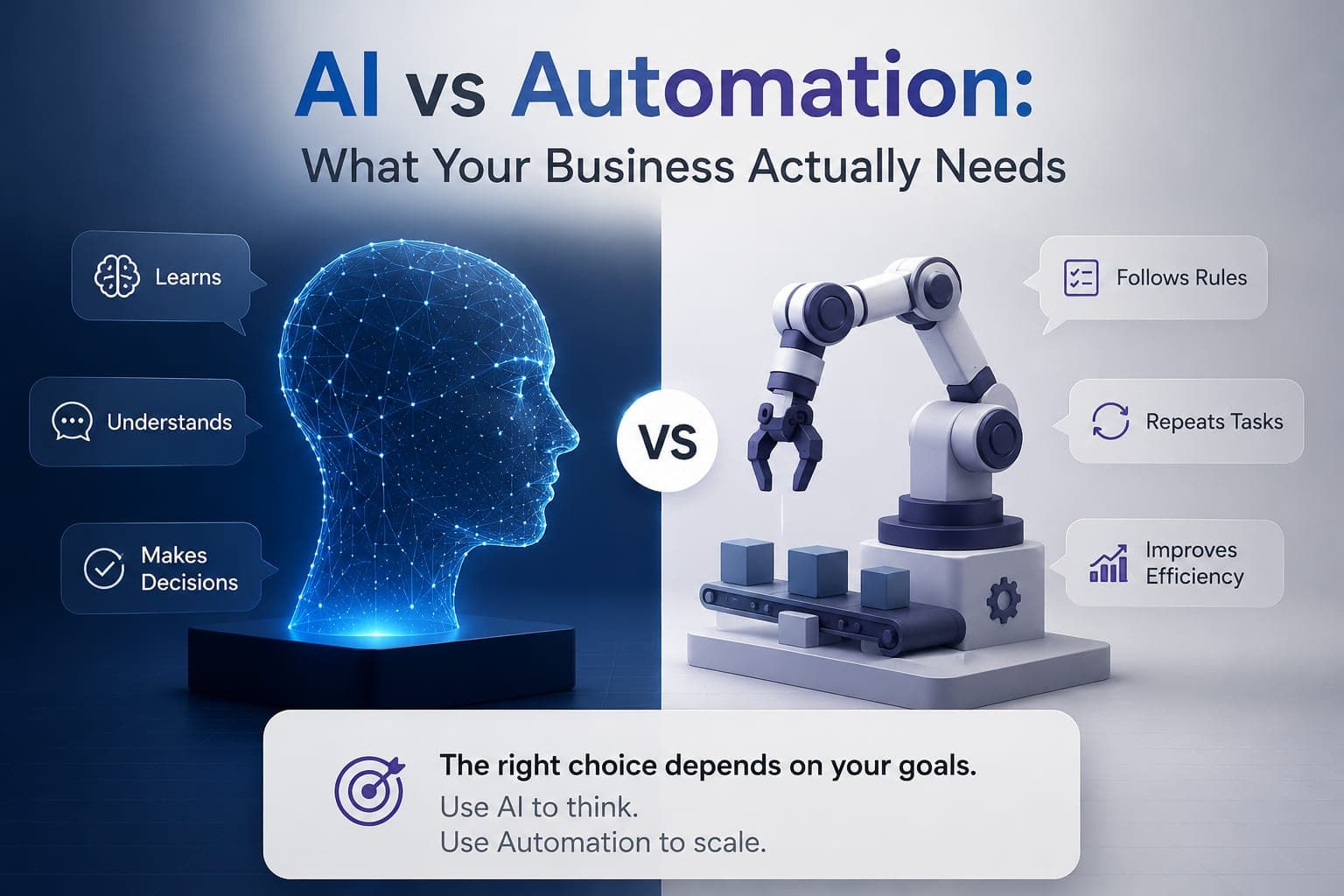
You will often hear that the right choice depends on your goals. That is half true, and the half it leaves out is the half that costs money. Your goals decide which process is worth fixing first. The nature of that process, and specifically whether its inputs vary, decides what should run it. Skipping the second step is how businesses end up paying for AI to do a job a rule could have done.
What is the actual difference between AI and automation?
Automation executes a defined sequence exactly as written. Same trigger, same steps, same result, every time. It does not learn and it does not adapt, which is precisely why it is reliable. AI interprets context, tolerates variation in its inputs, and can handle multi-step work that was not fully specified in advance. That flexibility is genuinely useful, and it is also the source of its cost and its risk.
AI learns, understands, decides
It improves from data it has already seen, interprets input nobody scripted for, and chooses between courses of action. That is what makes it valuable on messy work, and also why its output is a probability rather than a guarantee.
Automation follows rules, repeats, scales
It applies rules you defined, performs identical steps at any volume, and never improvises. That is what makes it efficient and auditable, and also why it stops dead at an input nobody planned for.
A shorter way to hold it: use AI to think, and automation to scale. AI belongs where a judgment has to be made. Automation belongs where a known job has to happen the same way, reliably, at volume. Most real workflows contain both, which is why the useful question is not which tool your business prefers, but which part of the work you are pointing it at.
| Rule-based automation | AI | |
|---|---|---|
| Suited to | Fixed inputs, stable rules | Variable inputs, judgment calls |
| On structured data | Deterministic and repeatable | Strong, but can misread or fabricate |
| Cost profile | Lower to build, cheap to run | Higher to build, ongoing running cost |
| How it fails | Breaks visibly when a process changes | Drifts quietly as inputs change |
| Ongoing needs | Documented rules and an owner | Data access, guardrails, and review |
The row worth reading twice is the failure mode. Automation fails loudly, which means you find out immediately. AI fails quietly, which means it can be wrong for weeks before anyone notices. That difference should influence what you are willing to put each one in charge of.
When rule-based automation is the right answer
For structured, repeatable processes, automation is faster to build, cheaper to run, and more reliable than AI. Applying a language model to a task with fixed inputs adds cost and introduces the possibility of a wrong answer to a problem that previously had none.
Automation fits here
Routing a form submission to the right inbox, provisioning a new starter's accounts from a checklist, generating the same monthly report, syncing records between two systems, sending a confirmation on a known trigger.
AI fits here
Summarising unstructured email threads, triaging support requests written in a customer's own words, extracting data from documents that arrive in inconsistent formats, drafting a first-pass response that a person then approves.
When AI genuinely earns its cost
AI is worth its cost when the alternative is a person spending time on interpretation. If a task requires someone to read something, work out what it means, and then decide what happens next, that judgment step is what AI can compress. The clearest signal is a process where you have tried to write the rules down and found there are too many exceptions to capture.
The strongest implementations usually combine both. AI handles the interpretation at the front, then hands off to deterministic automation for the steps that must happen the same way every time, with a person approving anything sensitive. That is a design decision, not a product you buy. If you want the deeper version of how these systems behave once they are running operations, we covered that in AI agents in enterprise IT.
What getting it wrong actually costs
The expensive failure is not choosing automation when you needed AI. That failure is obvious quickly, because the rules cannot cover the cases and the process stalls in front of someone who notices.
The costly one is the reverse: buying AI for a task that had fixed inputs and stable rules. You pay more to build it, more to run it, you introduce the chance of a confidently wrong answer where a script would have been exact, and you now depend on a system whose behaviour is harder to explain when someone asks why it did what it did. In regulated or client-facing processes, that last point matters more than the running cost.
Why you cannot answer this from a brochure
Every comparison of AI and automation, including this one up to this point, is generic. The actual decision is not, because it depends on four things that are specific to your environment.
- What your inputs genuinely look like: consistent and structured, or variable enough to need interpretation
- Where your time is actually going, which your support ticket history already records
- What automation capability you may already be paying for in your existing licensing
- What data a tool would need access to, and whether that is acceptable under your obligations
None of those can be assessed from outside your business. There is also an incentive problem worth naming plainly: a vendor whose product is an AI platform has a structural reason to conclude that you need an AI platform. That does not make them dishonest, but it does mean their recommendation and your requirement are not independent.
How managed IT support answers it
A managed IT provider already holds the evidence the decision needs: your ticket history shows which tasks are genuinely repetitive, your licensing shows what automation you may already be paying for, and your environment shows what data an AI tool could safely access. That turns the choice from a sales conversation into a scoped decision based on your actual operations.
The licensing point is worth isolating, because it is the one that most often saves money outright. Businesses already running Microsoft 365 frequently have workflow automation capability included in plans they are paying for, and are quoted for a separate tool that overlaps with it. Someone who administers your tenant can tell you that before you buy anything, which is a different conversation from being sold to.
There is also the question almost nobody asks during a sales process: who owns this once it is live. Automation breaks silently when an upstream process changes. AI drifts as its inputs change and needs periodic review. Either way, someone has to notice and fix it. If that owner is not identified at the point of purchase, the answer defaults to nobody, and you find out months later. This is the same documented ownership question that applies to the rest of your IT estate.
A worked example: our own chatbot is not AI
The assistant on this website is deliberately rule-based. It has no language model behind it. We built it that way on purpose, and it is a reasonable illustration of the decision this article describes.
The task is routing an enquiry to the right service and capturing enough context for a useful follow-up. The inputs are short, the service categories are fixed, and the routing rules change rarely. That is a structured problem with stable rules, which is the exact profile where automation beats AI: it responds instantly, it costs nothing per conversation, it cannot invent a service we do not offer, and its behaviour can be explained precisely.
If the job changed, the answer would change. Asking it to interpret long, unstructured descriptions of a technical fault and draft a diagnosis would be a variability problem, and the honest recommendation would be different. The point is not that rule-based is better. It is that the task decides.
What we would actually recommend
Start with the process, not the product. Pick the workflow that is genuinely costing time, establish whether its inputs vary, and only then decide what should run it. If the rules are writable, automate it and keep the budget. If they are not, scope the AI narrowly around the interpretation step and keep a person in the approval path. A free assessment is a reasonable way to get that scoped without committing to a tool first, and the wider service context sits on the IT services hub.
BPro Technologies works vendor-neutral on this by design, which means we are equally willing to tell you that the right answer is a workflow you already own. You can see how we scope this work under AI Automation & Chatbots.
Not sure which one your process actually needs?
A free assessment reviews the workflows costing you time, what your current licensing already covers, and whether the honest answer is automation, AI, or leaving it alone for now.
Get Free IT Assessment/ Article map
The one question that decides it
What is the actual difference between AI and automation?
When rule-based automation is the right answer
When AI genuinely earns its cost
What getting it wrong actually costs
Why you cannot answer this from a brochure
Frequently Asked Questions
What is the difference between AI and automation?
Automation executes a defined sequence exactly as written, producing the same result from the same trigger every time. It does not learn or adapt, which is why it is reliable. AI interprets context, tolerates variation in its inputs, and can handle multi-step work that was not fully specified in advance. Automation is deterministic; AI is probabilistic.
How do I know if my business needs AI or automation?
Ask whether the input varies. If information arrives in a consistent format and the rules governing it rarely change, you need automation. If the input is messy, arrives in different shapes, or needs interpreting before anything can be done with it, that is where AI earns its cost. Most other considerations follow from that single question.
When is rule-based automation better than AI?
For structured, repeatable processes with stable rules, automation is faster to build, cheaper to run, and more predictable. Applying a language model to a task with fixed inputs adds cost and introduces the possibility of a wrong answer to a problem that previously had none. Routing, provisioning, scheduled reporting, and record syncing are typical examples.
How does managed IT support help you choose between AI and automation?
A managed IT provider already holds the evidence the decision needs: your ticket history shows which tasks are genuinely repetitive, your licensing shows what automation you may already be paying for, and your environment shows what data an AI tool could safely access. That turns the choice from a sales conversation into a scoped decision based on your actual operations.
Do I already have automation tools I am paying for?
Often, yes. Businesses running Microsoft 365 or Google Workspace frequently have workflow automation capability included in plans they already pay for, then get quoted for a separate tool that overlaps with it. Someone who administers your tenant can confirm what your current licensing covers before you buy anything new.
What happens if I choose the wrong one?
Choosing automation when you needed AI fails quickly and visibly, because the rules cannot cover the exceptions. The more expensive mistake is the reverse: buying AI for a task with fixed inputs means paying more to build and run it, accepting the chance of a confidently wrong answer where a script would have been exact, and depending on a system that is harder to explain.
Who maintains automation or AI after it goes live?
Someone has to, and the question is usually skipped during the sales process. Rule-based automation breaks silently when an upstream process changes. AI drifts as its inputs change and needs periodic review. If an owner is not identified at the point of purchase, the answer defaults to nobody, and the problem surfaces months later.
/ Choose the next step
Move from article guidance to a practical review path.
Pick the route that best matches the issue behind the article so the next conversation starts with the right scope.
Automation path
Map the workflow before building automation
Use the project scope review when the next move involves chat, intake, CRM updates, approval routing, or repetitive tasks that need a controlled workflow plan.
Service path
See AI automation support
Review how BPro Technologies approaches workflows, human approval steps, handoffs, and business-safe automation instead of novelty features.
Team path
Share the workflow you want to improve
If the bottleneck is already clear, send the task, approval path, and tools involved so the team can review the right starting point.